
Add A New Titan Workstation User
This article will walk you through the steps for creating a new Titan Workstation user from scratch. You can also create a new user by cloning the permissions of an existing user.
- Navigate to the Users module via the Modules Selector in the top-left of the screen.
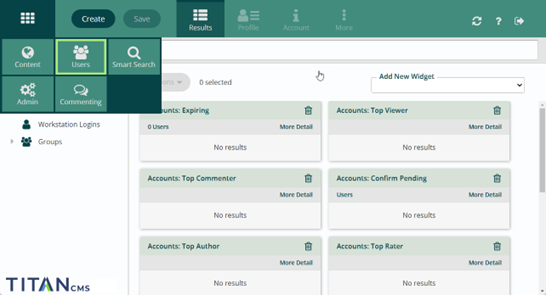
- Click 'Create' in the app ribbon.
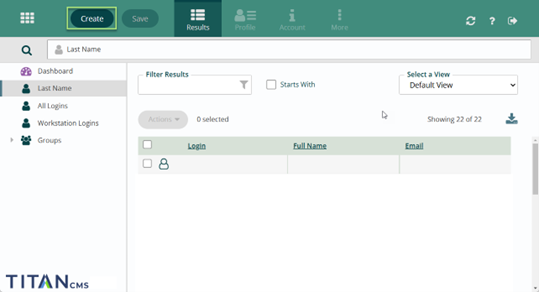
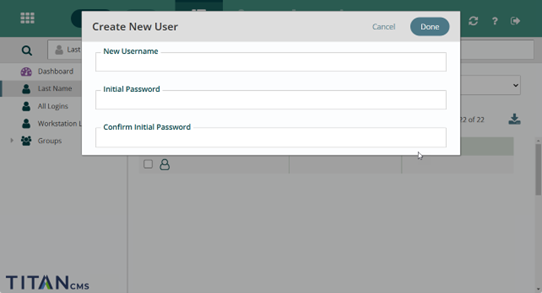
- Add a username and a temporary password for the new user.
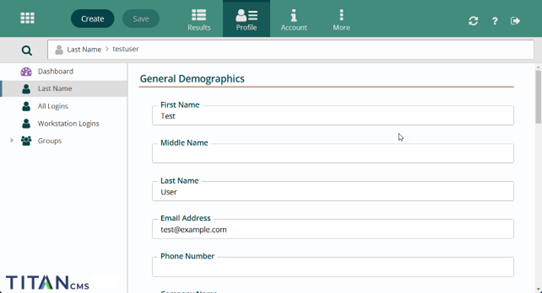
- Select the user and click on the 'Profile' tab in the app ribbon.
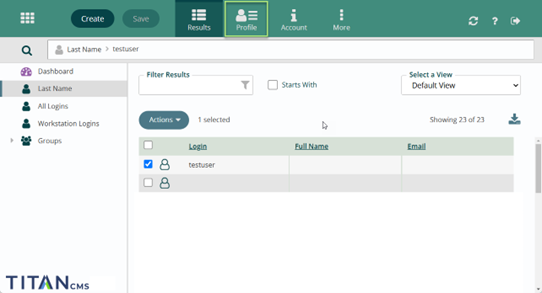
- Enter the basic demographic information for the new user.
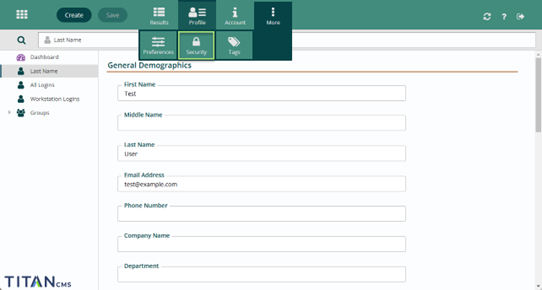
- Switch to the Security section in the app ribbon – Click 'More -> Security'.
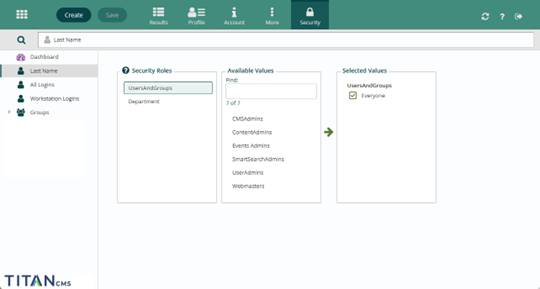
- Select a Security Role for the new user, and move it over to the Selected Values section by clicking on the role name and then clicking the arrow on the screen.
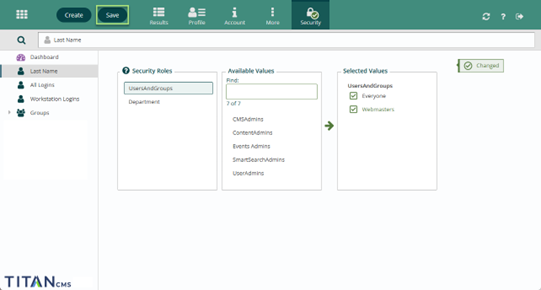
- Click 'Save' in the App Ribbon.
Get Support
Expert Titan CMS Support is just a phone call or email away!
Titan CMS Help Desk
9a.m.-5p.m. CT Mon-Fri
Tel: 414-914-9200
Email: [email protected]