
Improve Site Speed With Display Caching Overview
A unique feature of Titan CMS, called Caching for Public Displays, can help significantly speed up pages that host Data Lists and Filter Blocks.
Once enabled, Caching for Public Displays will cache the initial results view from Data Lists and Filter Blocks.
This is an excellent option for most Data Lists and Filter Blocks, including page sliders on your home and landing pages, and any pages where the initial view is the same for all users.
Enable Caching For Public Displays
To enable this functionality, simply check the Caching for Public Displays box in the appropriate block editor: 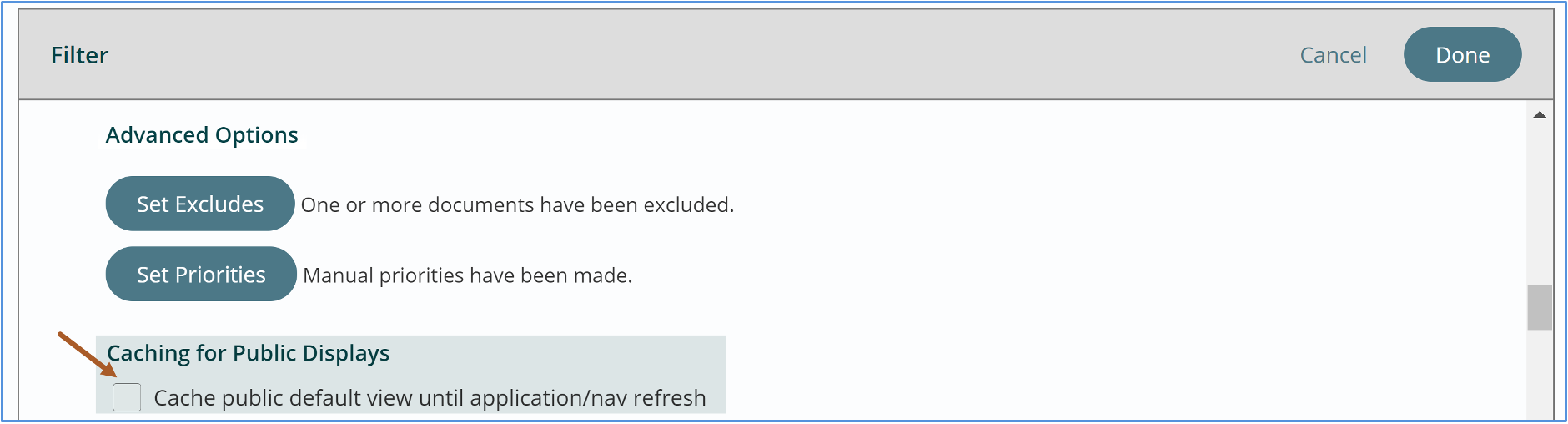
Once enabled, the initial page load request will be cached in the same manner as navigation is cached when Public Navigation Caching is selected for sites. The initial page load occurs from server memory instead of the database, which results in faster load times.
After the initial page loads, users can interact with page elements as they normally do. Like navigation caching, which the Caching for Public Displays feature is based on, if you add new items to the page a refresh is required by the user to view the updated page.
Please Note: While Caching for Public Displays is a great way to increase page load speed, it is not intended to be used with blocks:
- Where the initial view may be filtered by end-user input (i.e., an A-Z index page)
- Where Site Search keywords are enabled
- Filtering based on user tags
- Hosted on pages secured behind a login
- Where initial results are updated every few seconds or minutes
If you do use this functionality with blocks where content is updated frequently, don’t forget to schedule your Refresh Display Nav job appropriately.
Get Support
Expert Titan CMS Support is just a phone call or email away!
Titan CMS Help Desk
9a.m.-5p.m. CT Mon-Fri
Tel: 414-914-9200
Email: [email protected]